KINIX: Desigining for a
Cycling-Controlled Multiplayer Game
KINIX: Desigining for a
Cycling-Controlled Multiplayer Game
Turning pedaling and steering into an intuitive interface
Turning pedaling and steering into an intuitive interface
KINIX is a multiplayer fitness game where players control their avatars by pedaling and steering an indoor bike. This meant designing interfaces for a completely different input model—no tapping, no clicking, just directional controls and physical movement.
KINIX is a multiplayer fitness game where players control their avatars by pedaling and steering an indoor bike. This meant designing interfaces for a completely different input model—no tapping, no clicking, just directional controls and physical movement.
KINIX is a multiplayer fitness game where players control their avatars by pedaling and steering an indoor bike. This meant designing interfaces for a completely different input model—no tapping, no clicking, just directional controls and physical movement.
My Role
I shaped the game’s UI/UX for its first playable phase and build a cohesive design system developers could rely on. I covered screen designs to icons, badges, and the full UI component library.
My Role
I shaped the game’s UI/UX for its first playable phase and build a cohesive design system developers could rely on. I covered screen designs to icons, badges, and the full UI component library.
The Innovation Challenge
The Innovation Challenge
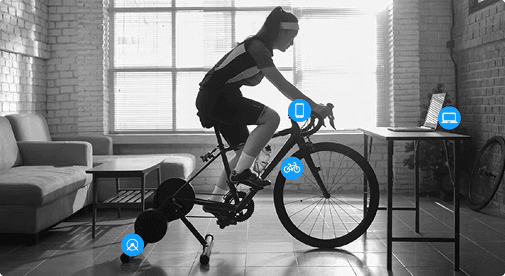
Designing KINIX meant rethinking every assumption about interaction. Players aren’t sitting still—they’re pedaling, steering, and looking at a screen from a distance. With only directional inputs to work with, traditional mobile patterns simply didn’t apply.
Designing KINIX meant rethinking every assumption about interaction. Players aren’t sitting still—they’re pedaling, steering, and looking at a screen from a distance. With only directional inputs to work with, traditional mobile patterns simply didn’t apply.
The main challenge was to create a UI that stayed readable, responsive, and effortless even while players were in motion. At the same time, I needed to unify early, inconsistent mockups into a single visual direction that actually felt like KINIX.
The main challenge was to create a UI that stayed readable, responsive, and effortless even while players were in motion. At the same time, I needed to unify early, inconsistent mockups into a single visual direction that actually felt like KINIX.
Key Design Decisions
Key Design Decisions
01
Interaction Principles for a Cycling Game
Unlike typical UI work, players here interact while moving their whole body. They’re cycling, shifting posture, and glancing at a screen that might not be at eye level — only with directional controls. So instead of just “making screens,” the real job was figuring out how to keep the experience smooth and understandable while players are in motion. Here are the key principles:
Designed for distance
Large text, strong contrast, simple layouts.
Designed for distance
Large text, strong contrast, simple layouts.
Low‑effort navigation
All actions reachable via directional input.
Low‑effort navigation
All actions reachable via directional input.
Predictable flows
Consistent patterns so players don’t think mid‑motion.
02
Visual Direction to Define the Game’s Feel
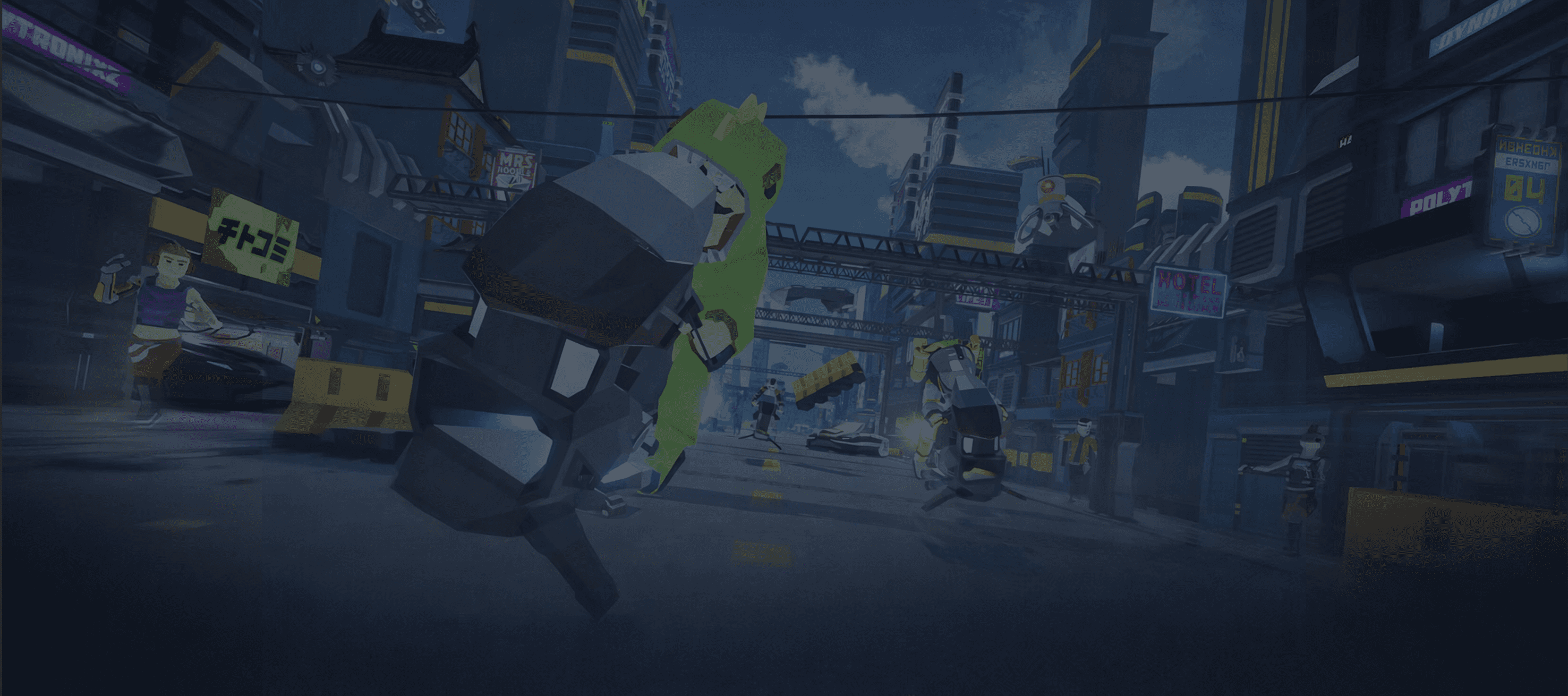
The early mockups leaned heavily on bright yellows and mixed visual styles. The new UI now matched KINIX’s branding energy and atmosphere. Slide to see the before-after result
The early mockups leaned heavily on bright yellows and mixed visual styles. The new UI now matched KINIX’s branding energy and atmosphere. Slide to see the before-after result:
03
UI System & Components for Implementation
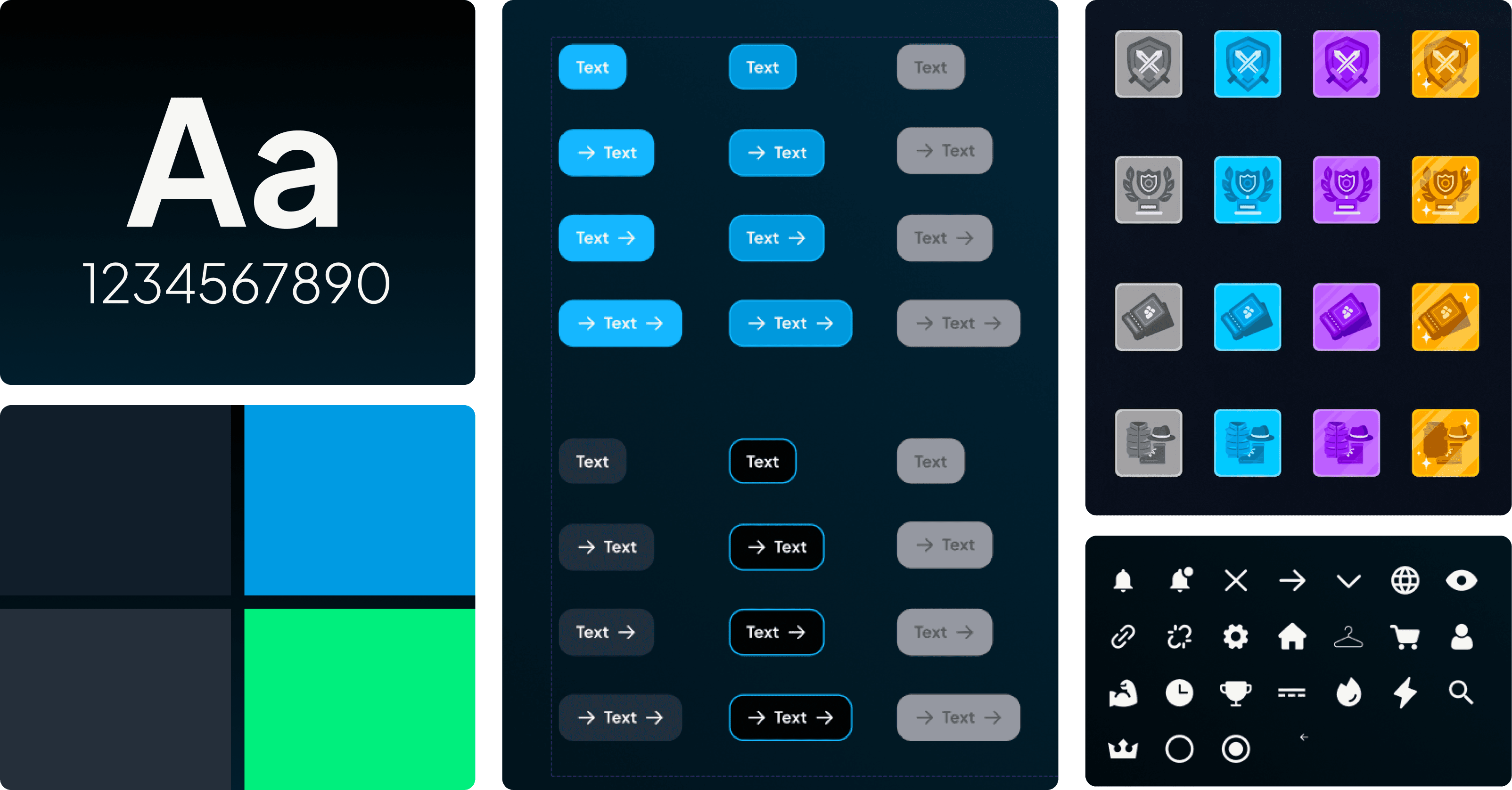
To support development and keep the game consistent as new screens were added, I built a complete UI system that the team could reliably implement. This meant creating not just assets, but rules and structure. Buttons, cards, HUD elements with interaction states, icon & badge styles, and all other assets..
Results
Results
My work shaped the foundation—visual direction, system, screens, and all the UI assets that players interact with.
The result was a playable first version of KINIX with an interface that felt intuitive, game-like, and consistent across the entire experience.
My work shaped the foundation—visual direction, system, screens, and all the UI assets that players interact with.
The result was a playable first version of KINIX with an interface that felt intuitive, game-like, and consistent across the entire experience.

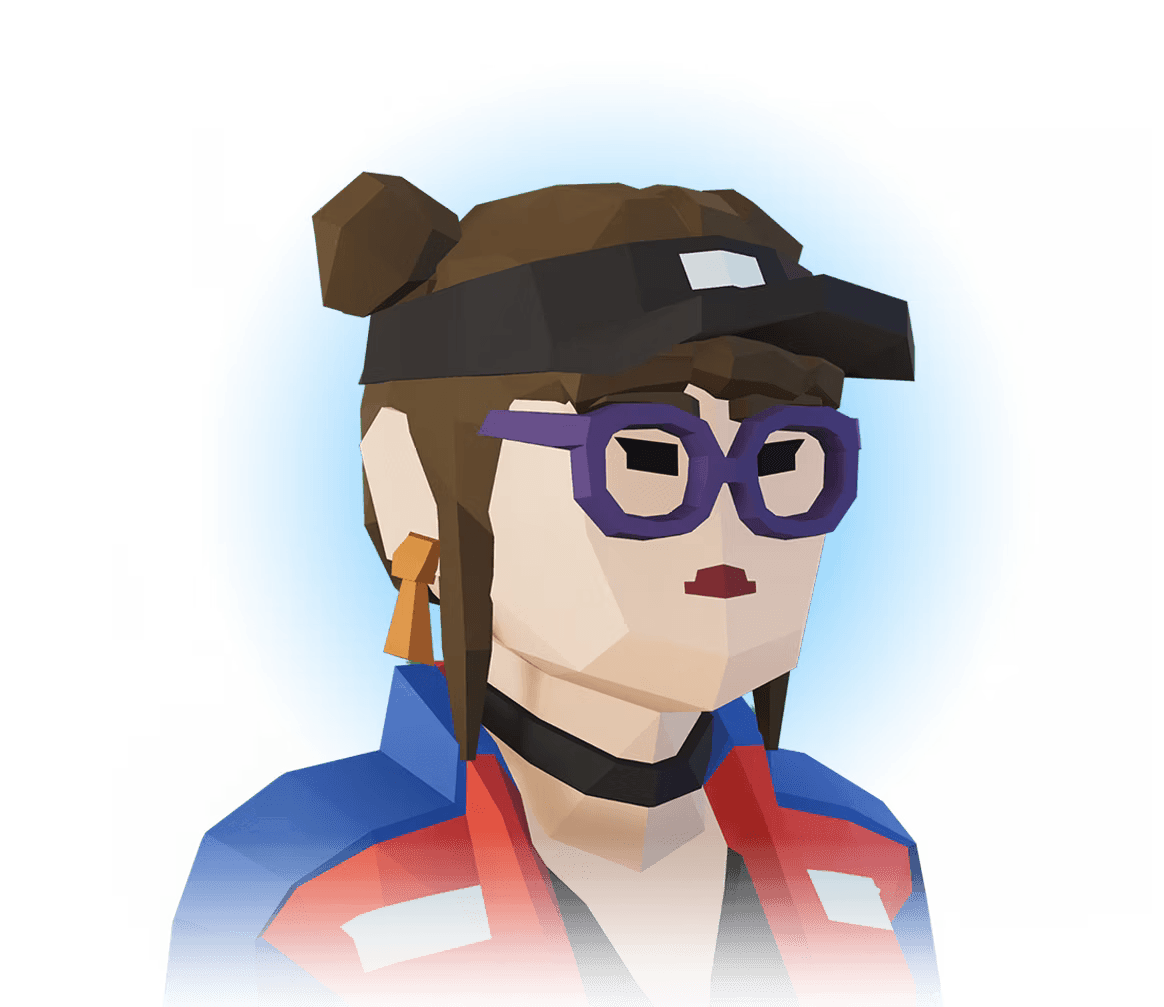
🌟 Character Customization
🌟 Character Customization
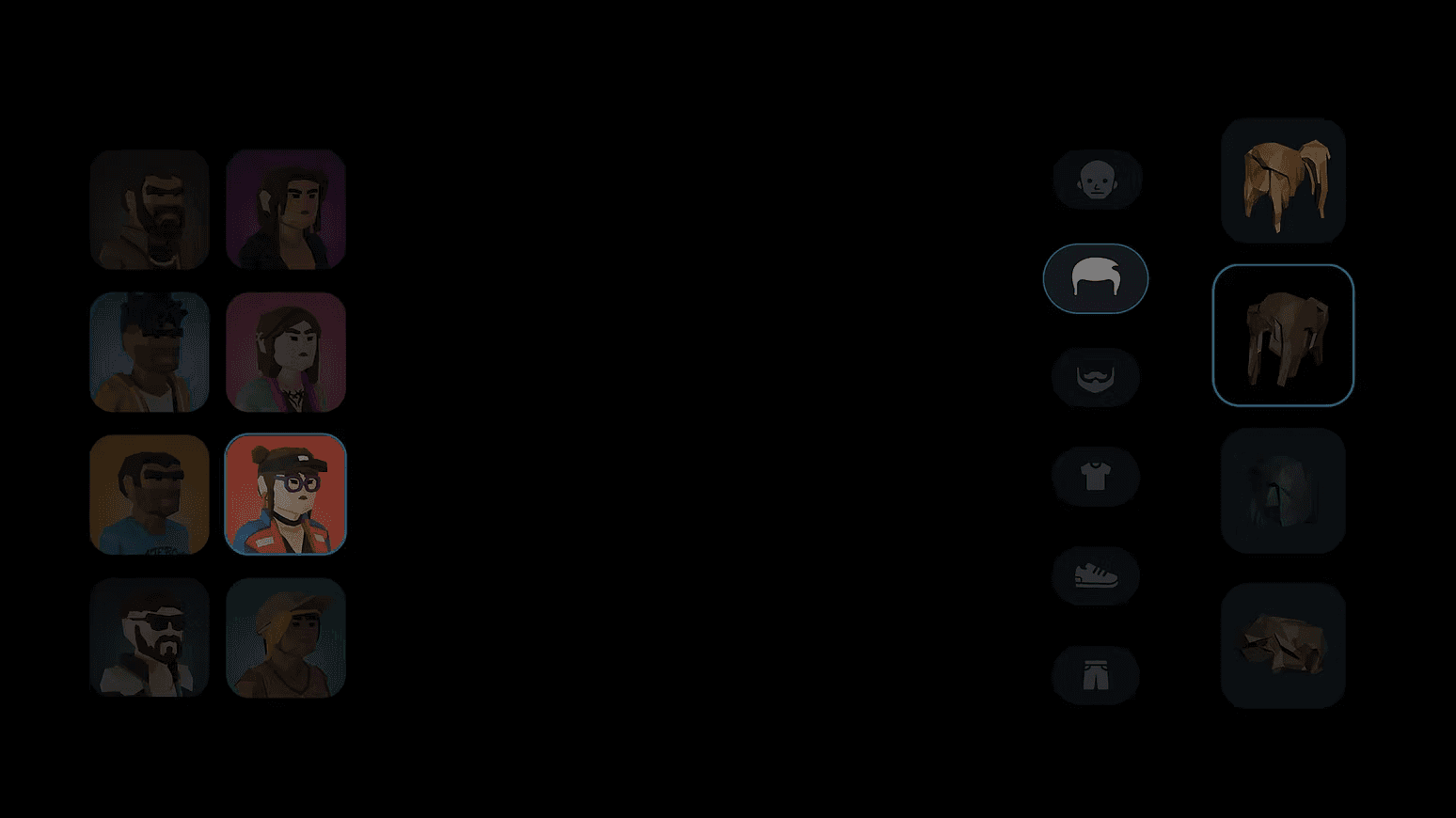
Character creation was designed around directional navigation and clear hierarchy, making it easy to browse hair, outfits, and accessories without breaking flow.
Players can choose different hair, hat, beard, upper cloth, pants, shoes, and backpacks. Cosmetics can be bought at in-game store.
Players can choose different hair, hat, beard, upper cloth, pants, shoes, and backpacks. Cosmetics can be bought at in-game store.
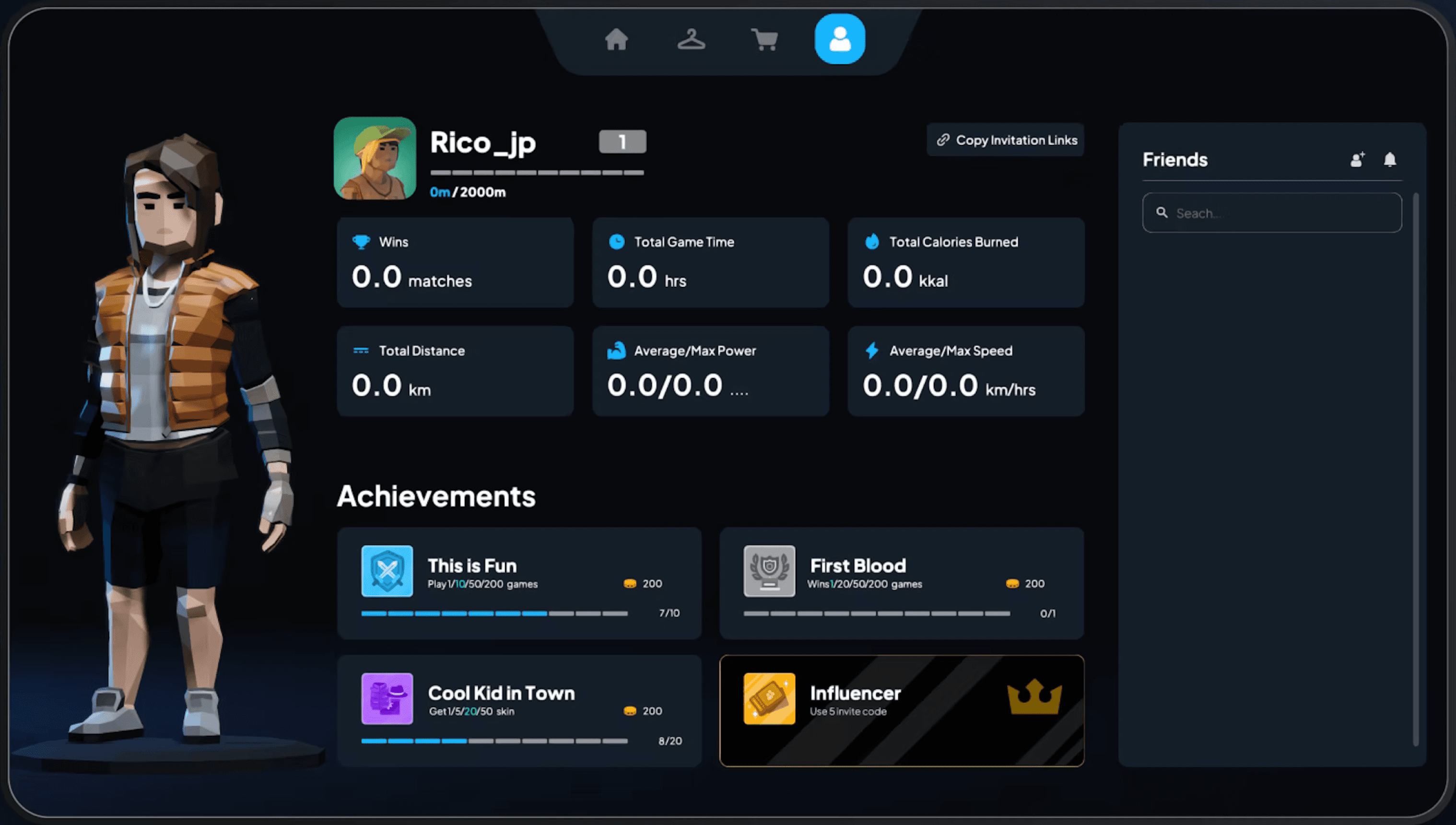
🌟 Profile & Achievements
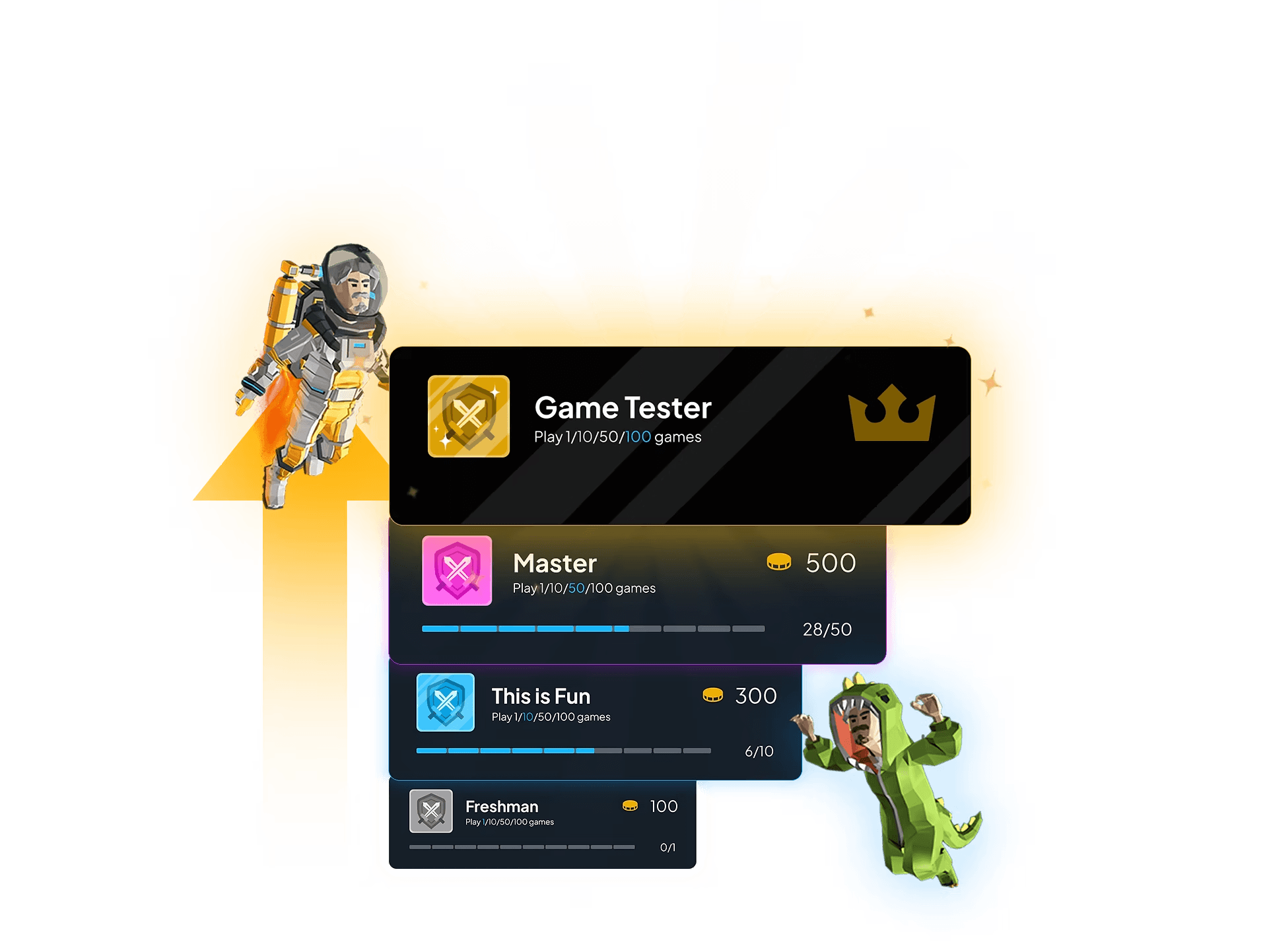
The profile screen brought together player identity, game stats, and fitness data in a glanceable layout readable from a distance.
The profile screen brought together player identity, game stats, and fitness data in a glanceable layout readable from a distance.
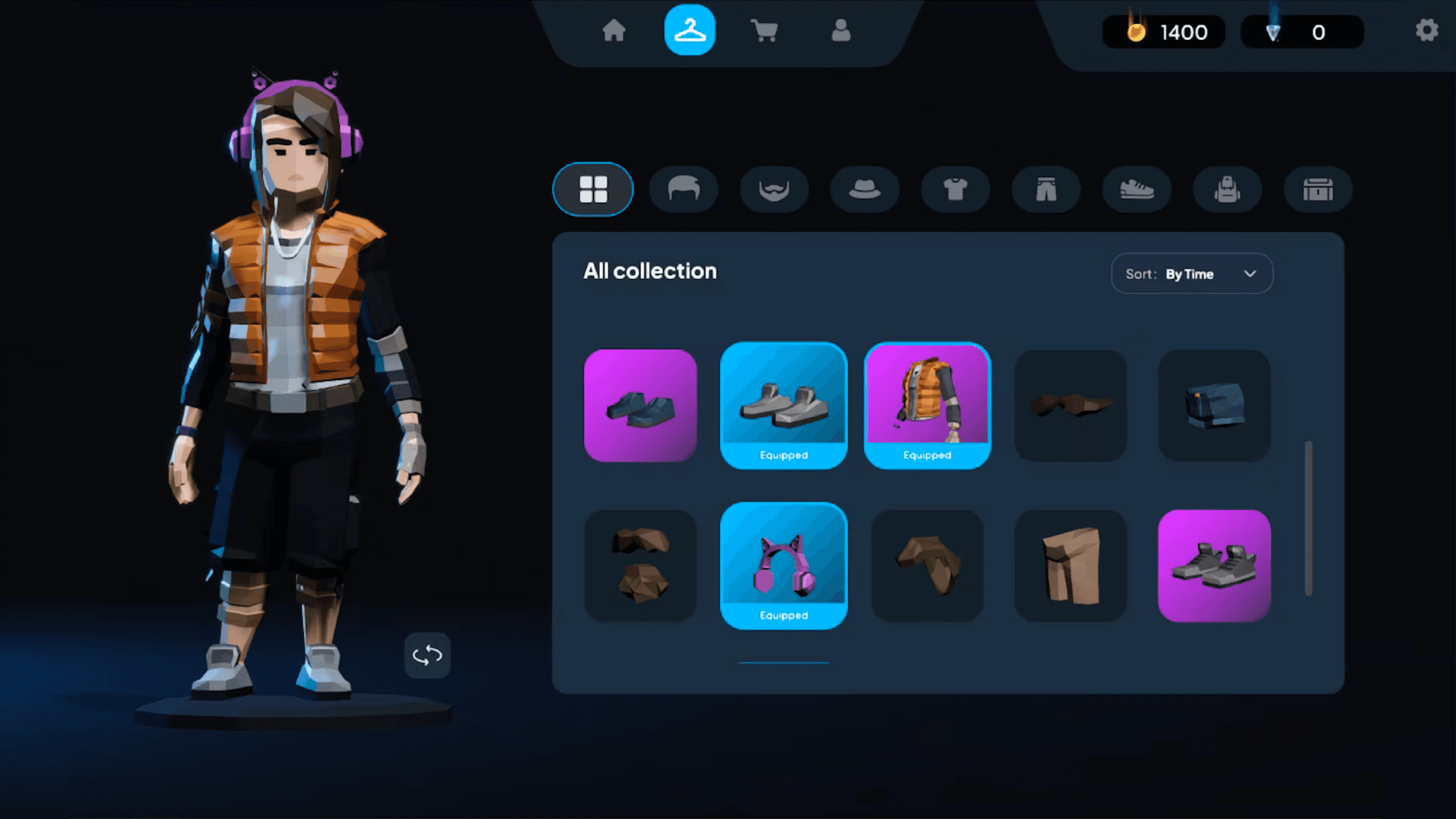
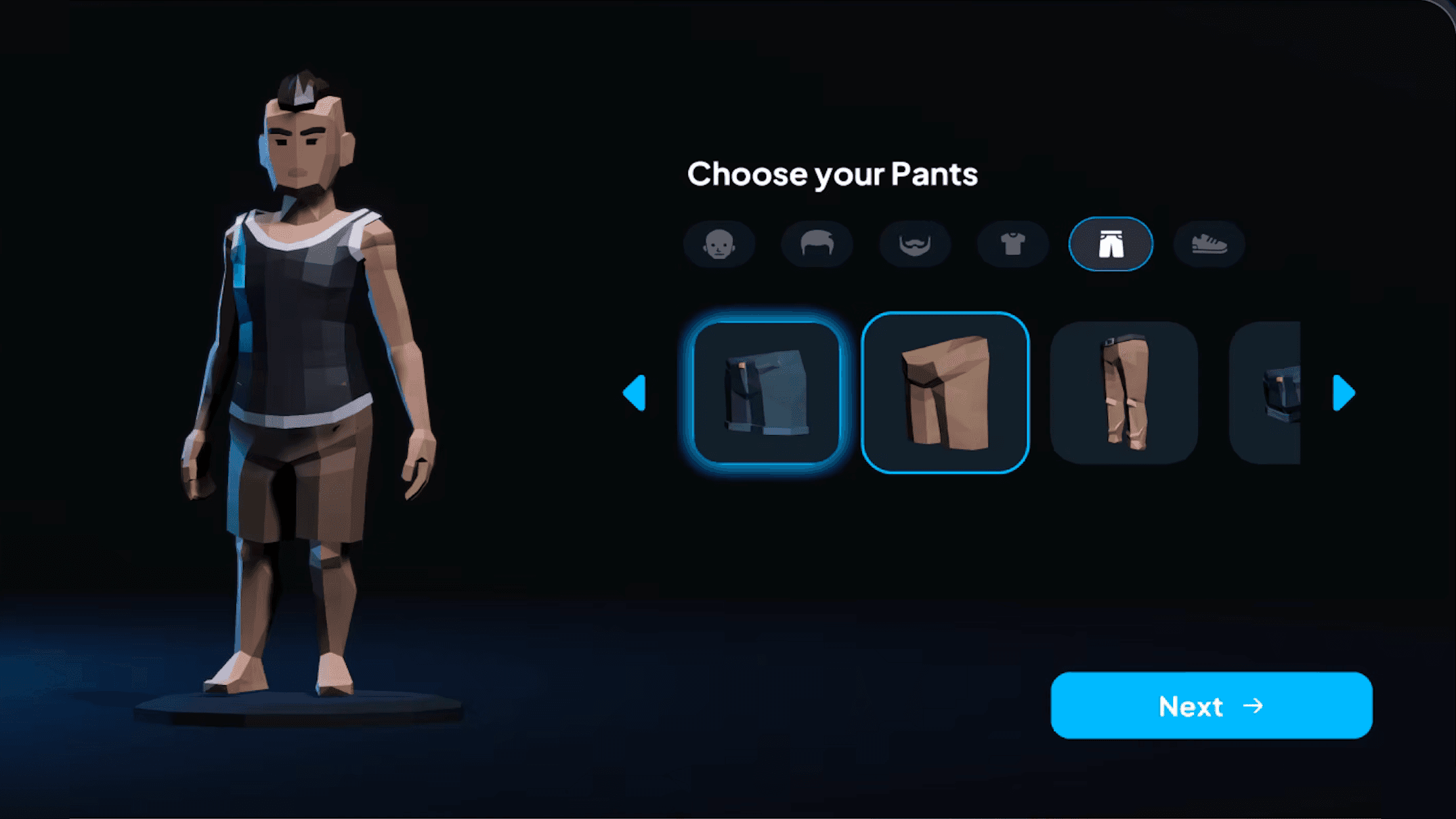
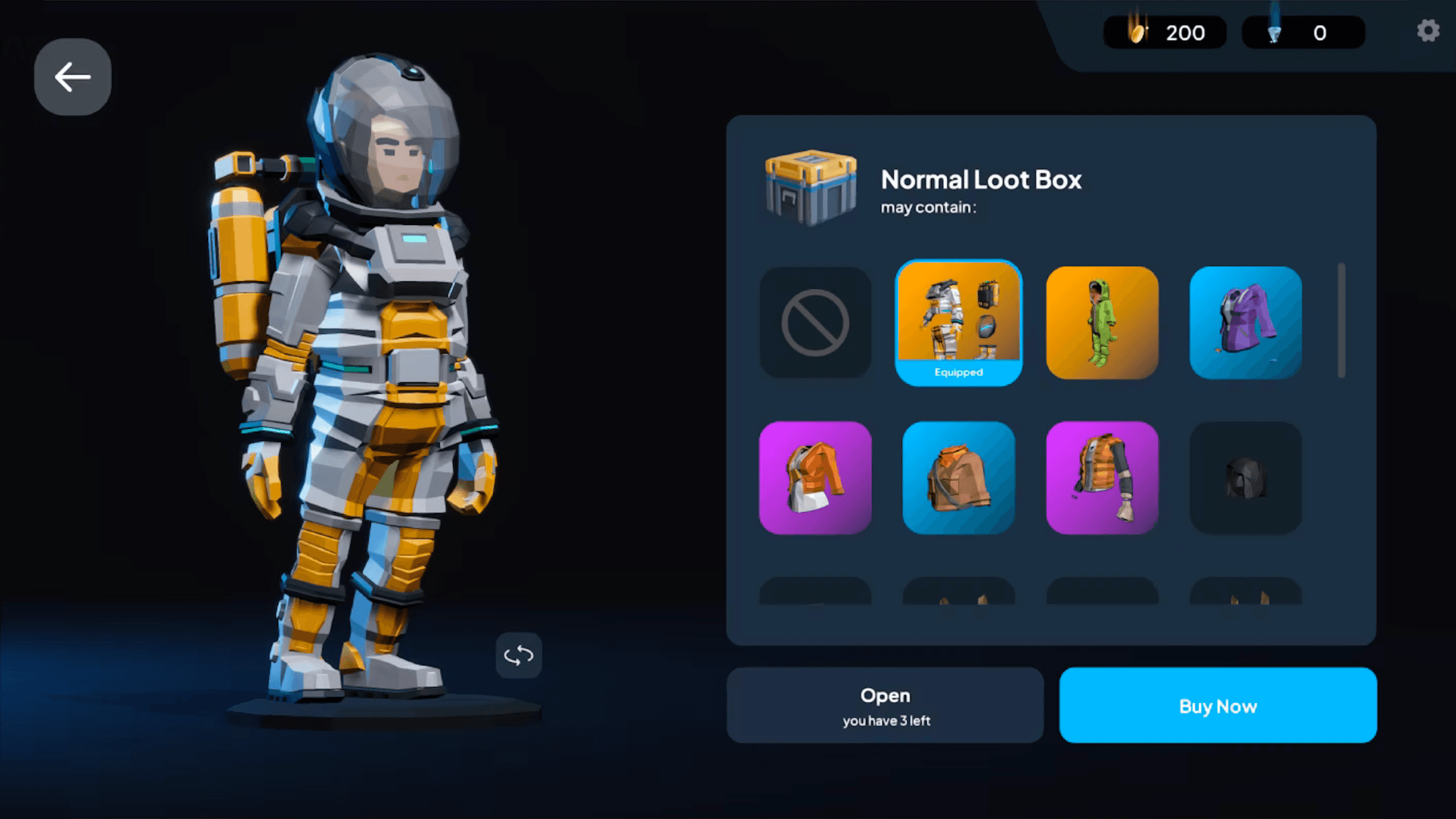

Large previews, limited choices per step, and consistent layouts ensured customization felt playful and effortless even when controlled through pedaling and steering.
Large previews, limited choices per step, and consistent layouts ensured customization felt playful and effortless even when controlled through pedaling and steering.

What this project taught me:
Working on KINIX pushed me to think beyond screens and consider the player’s physical state as part of the UX. I learned how crucial predictable flows and clear hierarchy are when users can’t rely on touch or fine control.
Building the design system also reinforced the value of scalable rules, not just polished visuals.
Most importantly, this project taught me how adaptable UX principles become when applied to entirely new interaction models.
What this project taught me:
Design turns evolving policy into a system that understands people, and helps people understand policy. It’s not only about solving problems, it’s about making sense of them especially when the destination is still being defined.
What this project taught me:
Design turns evolving policy into a system that understands people, and helps people understand policy. It’s not only about solving problems, it’s about making sense of them especially when the destination is still being defined.
elva
retta

elva
retta